
How to
Share your property
How to send guests the link to your property (also with dates) and how to put the calendar with the form or a "Check dates" button on your website.
Before you start
The property must be published. Before that, the link and the code show nothing to guests.
Send the link to the property page
- Open the property in the dashboard and go to the Share tab.
- In the Share tab, next to Property page for guests, click Copy.
- Paste the address in a message to a guest, on social media or in an advertisement.
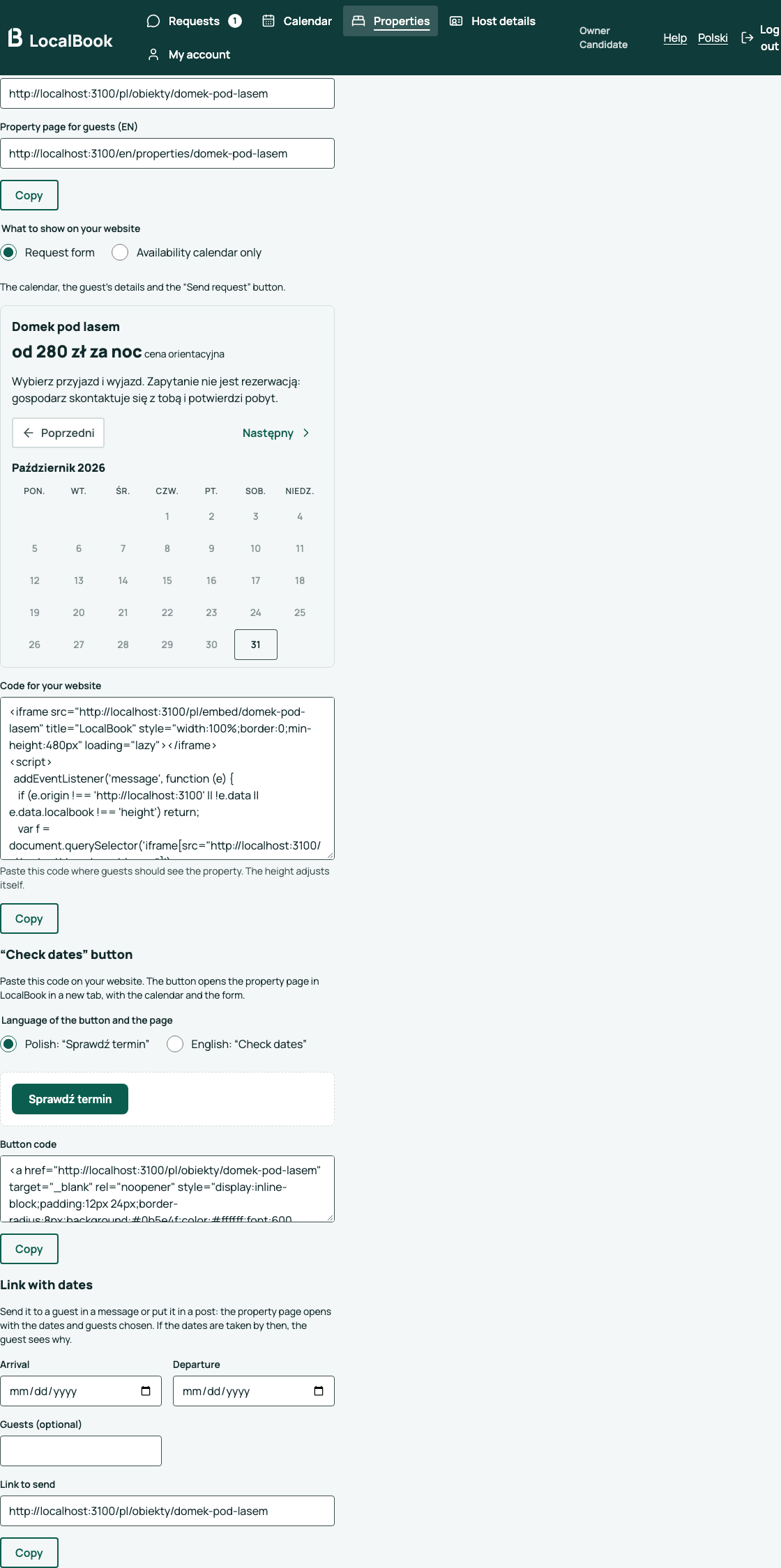
Put the property on your website
- In the Share tab, choose what to show on your website:
- Request form — the calendar, the guest's details and the "Send request" button. The guest adds a phone or a message if they want.
- Availability calendar only — the guest picks dates, and the "Ask about dates" button opens the property page on LocalBook with those dates.
- Check the Preview.
- Next to Code for your website, click Copy.
- In the editor of your website (for example WordPress or Wix), add an HTML block, paste the code and save the page.
The height adjusts itself. The full terms of stay are on the property page on LocalBook; the form links to them.
Add a "Check dates" button
If you do not want the whole calendar on your website, add just a button. It opens the property page in LocalBook in a new tab.
- In the Share tab, under "Check dates" button, choose the language: Polish ("Sprawdź termin") or English ("Check dates").
- Next to Button code, click Copy.
- Paste the code in an HTML block on your website.
Send a link with dates
When you talk with a guest about specific dates, send a link with the dates already chosen.
- In the Share tab, under Link with dates, enter the Arrival, the Departure and, if you want, the Guests.
- Next to Link to send, click Copy and paste the link in your message.
The guest sees the form with the dates chosen. If the dates are taken, too short or in the past, the guest sees why and chooses other dates in the calendar.